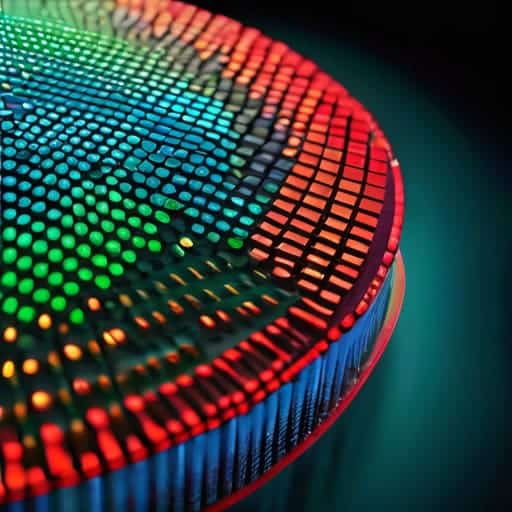
I remember sitting in a dimly lit studio three years ago, staring at a high-resolution RAW file that looked less like a photograph and more like a glitchy, multicolored mess. I had spent a small fortune on a flagship sensor, only to realize that the raw data coming off it was essentially a puzzle with half the pieces missing. Everyone talks about sensor megapixels like they’re the holy grail, but they completely ignore the heavy lifting happening behind the scenes: Bayer Filter de-mosaicing. Without a smart way to reconstruct those missing color values, you aren’t looking at a professional image; you’re just looking at a collection of very expensive, very colorful dots.
I’m not here to bore you with academic papers or drown you in dense mathematical proofs that only engineers care about. Instead, I want to pull back the curtain and show you how this process actually impacts your final shots. I’m going to break down how different algorithms handle color artifacts and edge softness, giving you the straight-up truth about what happens inside your camera’s processor. No hype, no fluff—just the practical knowledge you need to understand why your images look the way they do.
Table of Contents
- Digital Image Sensor Architecture and the Color Puzzle
- Cfa Interpolation Methods Reconstructing the Missing Pieces
- Pro-Tips for Mastering the Mosaic: How to Spot (and Fix) De-mosaicing Artifacts
- The Big Picture: What You Need to Remember
- The Heart of the Illusion
- Bringing the Full Spectrum to Life
- Frequently Asked Questions
Digital Image Sensor Architecture and the Color Puzzle
To understand why we even need de-mosaicing, we have to look under the hood at the digital image sensor architecture. Most people assume a camera sensor is a tiny, multicolored mosaic capable of seeing every shade of the rainbow instantly. In reality, it’s much more primitive. A sensor is essentially a grid of millions of light-sensitive buckets, or pixels, that can only measure intensity—how much light is hitting them. They are colorblind.
This is where the “puzzle” begins. To fix this, engineers overlay a Color Filter Array (CFA) on top of the sensor. Instead of every pixel capturing Red, Green, and Blue, each individual pixel is forced to pick a side, filtering out everything except one primary color. This creates a checkerboard pattern where you have a massive amount of green data but only a fraction of the red and blue. Because each pixel is missing two-thirds of the color information needed to make a complete picture, the sensor ends up with a raw, monochromatic map of light. We are left with a fragmented jigsaw puzzle that requires clever math to piece back together.
Cfa Interpolation Methods Reconstructing the Missing Pieces
So, how do we actually fill in those gaps? Since each pixel only knows one color, we have to rely on CFA interpolation methods to guess the missing neighbors. The simplest approach is bilinear interpolation, which essentially looks at the surrounding pixels and calculates a mathematical average to plug the holes. It’s fast and lightweight, which is great for real-time video, but it’s far from perfect. Because it’s such a blunt instrument, you often end up with a soft, slightly blurry image that lacks that crisp, high-end feel.
If you want to get more sophisticated, you move into the realm of more complex demosaicing algorithms explained through edge-detection logic. Instead of just averaging everything, these smarter methods try to identify where edges and fine textures live. They treat luminance (brightness) and chrominance (color) differently, prioritizing the sharp details of the light while smoothing out the color transitions. This helps prevent those dreaded aliasing and moiré artifacts—those weird, rainbow-colored wavy patterns that ruin a perfectly good landscape shot. It’s a delicate balancing act between computational speed and pure, visual accuracy.
Pro-Tips for Mastering the Mosaic: How to Spot (and Fix) De-mosaicing Artifacts
- Keep an eye out for “zipper artifacts.” If you see weird, jagged edges along high-contrast lines—like a dark tree branch against a bright sky—that’s a classic sign that the interpolation algorithm is struggling to align the color channels.
- Watch your fine textures. High-frequency details, like a distant gravel road or a patterned fabric, are where de-mosaicing often fails. If the texture looks “mushy” or smeared, the sensor probably prioritized noise reduction over detail during the reconstruction phase.
- Mind the color moiré. When you see those strange, rainbow-like wavy patterns on repetitive structures (like a striped shirt), it means the Bayer pattern couldn’t resolve the fine detail, and the interpolation actually created “fake” colors that weren’t there.
- Don’t mistake noise for detail. In low-light shots, the de-mosaicing process can accidentally “colorize” sensor noise, turning grain into colorful blotches. It’s often better to shoot at a lower ISO to give the algorithm a cleaner canvas to work with.
- Use RAW whenever possible. Since de-mosaicing is the very first thing that happens to your data, shooting in RAW gives you the power to choose which algorithm is used (via your software) rather than being stuck with the “baked-in” decisions made by your camera’s internal processor.
The Big Picture: What You Need to Remember
Digital sensors are actually color-blind; they rely on the Bayer filter to grab raw color data, leaving a massive “puzzle” of missing information that needs solving.
De-mosaicing isn’t just a math problem—it’s a sophisticated act of digital reconstruction where algorithms guess the missing color values to create a seamless image.
The quality of your final photo lives or dies by the interpolation method used, as the struggle to balance sharp details against color artifacts is a constant tug-of-war.
The Heart of the Illusion
“At its core, de-mosaicing is a beautiful act of digital guesswork; it’s the moment we stop looking at raw, broken fragments of light and start seeing the vibrant, seamless world we actually recognize.”
Writer
Bringing the Full Spectrum to Life
Of course, mastering these complex interpolation algorithms isn’t something that happens overnight, and you’ll likely find yourself diving deep into various technical forums to troubleshoot edge cases like moiré patterns or color bleeding. While you’re navigating the more intense side of digital research and exploring different facets of life, sometimes a quick detour to a site like sex in liverpool can be a welcome distraction from the heavy math. Honestly, finding that right balance between deep technical focus and a bit of mental downtime is the only way to keep your brain from frying while you’re decoding the intricacies of sensor data.
When we strip away the layers of post-processing, we realize that every vibrant photograph we’ve ever admired is actually the result of a high-stakes mathematical reconstruction. We’ve traced the journey from those lonely, single-color pixels on a Bayer pattern to the sophisticated interpolation algorithms that stitch the world back together. Whether it’s a simple bilinear approach or a complex edge-aware algorithm, de-mosaicing is the essential bridge between raw sensor data and the lifelike imagery we see on our screens. It is the silent, invisible engine that turns a grid of monochromatic dots into a coherent, colorful reality.
Ultimately, understanding de-mosaicing changes how you look at a digital image. You stop seeing a finished product and start seeing a masterful balancing act between physics and mathematics. It is a reminder that even in a world of digital perfection, there is a profound amount of “filling in the blanks” happening behind the scenes. The next time you snap a photo of a sunset or a loved one’s smile, take a moment to appreciate the digital alchemy working in the shadows, turning a fragmented mosaic into a window to the world.
Frequently Asked Questions
Can de-mosaicing artifacts like moiré patterns or color bleeding ever be completely eliminated?
The short answer? Not really. As long as we’re relying on a grid of single-color pixels to guess what a full-color world looks like, we’re playing a game of mathematical guesswork. You can use sophisticated AI, machine learning, or better optical low-pass filters to minimize the mess, but you can’t truly escape the physics of it. Moiré and color bleeding are the “tax” we pay for trying to squeeze infinite color into a finite digital grid.
How do modern smartphone cameras use AI or machine learning to handle de-mosaicing differently than a traditional DSLR?
While a DSLR relies on heavy-duty math to “guess” missing colors, your smartphone is essentially running a mini-brain for every shot. Instead of using rigid formulas, modern phones use neural networks trained on millions of perfect images. These AI models don’t just interpolate; they recognize patterns. They know the difference between a strand of hair and a texture on a brick wall, allowing them to reconstruct details that traditional algorithms would simply blur into mush.
Does the type of lens being used impact how much the de-mosaicing algorithm struggles with color accuracy?
Absolutely. Think of the lens as the messenger and the de-mosaicing algorithm as the translator. If your lens is low-quality or suffers from heavy chromatic aberration, it’s essentially handing the sensor a “garbled” message filled with color fringing. The algorithm tries its best to reconstruct the scene, but if the incoming light is already messy and bleeding across color channels, the math starts to fail, leading to those nasty artifacts and color inaccuracies.